FIME Virtual Tour
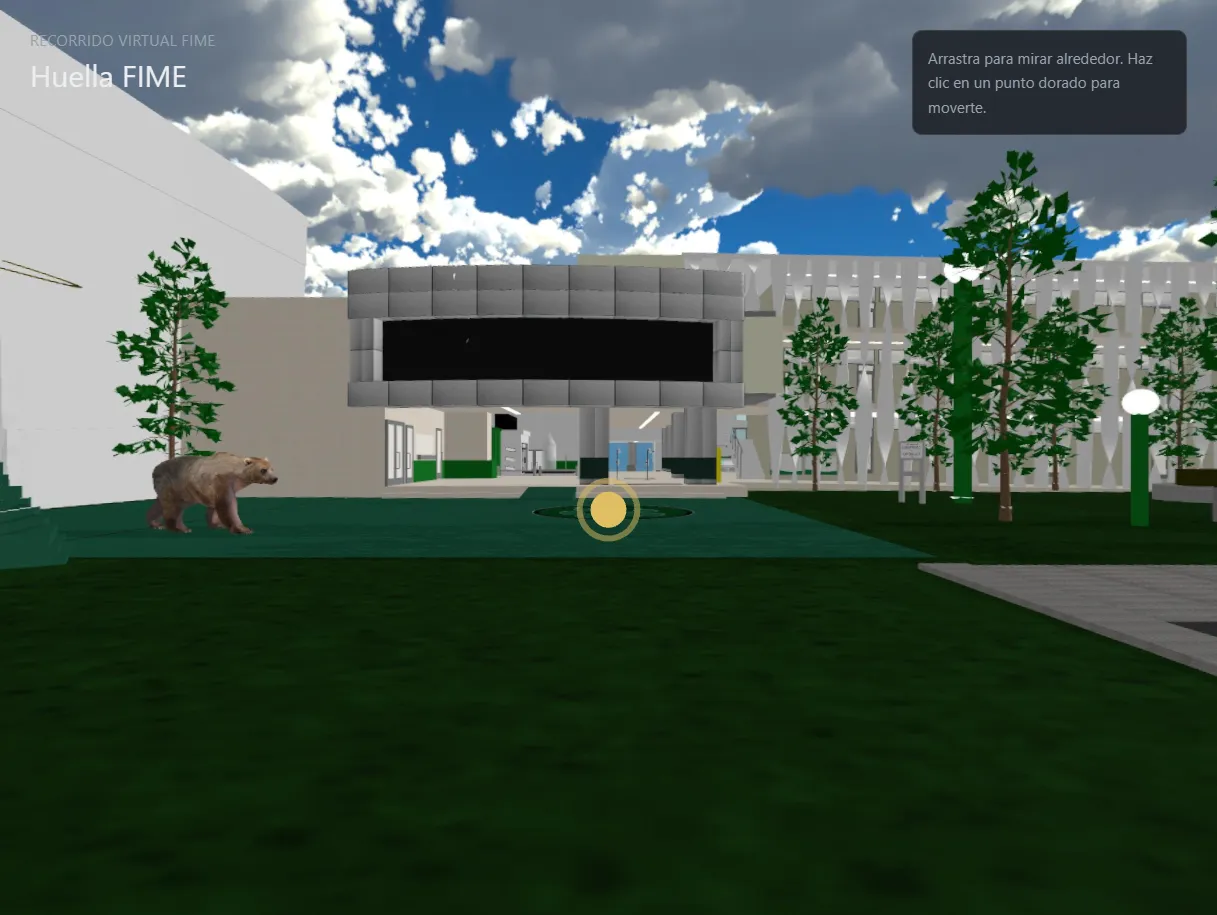
The faculty's original simulator was built in Unity and required downloading an executable, which ruled out any prospective student arriving from a phone. Publishing the 3D models on the web wasn't viable either, so I rendered the tour out to equirectangular stills and served it as a navigable 360° tour in the browser. I traded freedom of movement for load time, deliberately.
The problem
The faculty had a campus simulator built in Unity. It worked, but it was an executable: you had to download and install it on Windows. That ruled out prospective students arriving from a phone, which is most of them. A tool meant to attract students can’t demand an installation before showing anything.
The obvious move was to bring the scene to the browser. But the simulator’s models were far too heavy: meshes, textures and a full engine that a student on mobile data would never finish downloading.
What I built
Instead of bringing the geometry to the web, I left the models where they were and rendered equirectangular stills of each point along the tour out of Unity. The site serves those panoramas as a navigable 360° tour: you move between fixed points, Street View style.
The shift in approach takes the weight off:
- Each point is a single image, compressible aggressively
- No meshes, materials or render engine to download
- Loading is progressive: one panorama at a time, not one huge initial bundle
- Adding a new point means exporting another still from Unity, not touching the scene
The hard part
The hard part wasn’t technical. It was deciding what to give up.
A real 3D tour lets you walk wherever you want. A panorama-based one pins you to fixed points. That’s a genuine loss and I didn’t want to paper over it.
I accepted it because the project’s goal was never to let someone explore the campus like a video game: it was to let a prospective student on a bad connection see what the faculty looks like before deciding whether to visit. For that, a tour that loads is worth infinitely more than a complete one nobody waits for.
The panoramas aren’t photographs of the campus: I rendered them from inside the 3D project itself, placing cameras in the Unity scene and exporting the equirectangular image from each position. That changes the cost of iterating entirely. With real photography, moving a capture point means going back to campus with the gear; with cameras inside the scene, it’s dragging one a few meters and re-exporting. I could adjust the tour as many times as it took until the sequence felt right.
Result
The tour opens in any phone browser with nothing to download, and a prospective student sees the campus in seconds instead of installing an executable they were probably never going to install.